Describe your video.
Write what happens, who is there, and how it should feel. Add the length and camera direction if you have them in mind.
Turn an idea into a video. Describe what happens, set the mood, and let Kando turn it into a video for you.
Prompt to video. Ready to watch and download.
“Hold the wide. Let the road talk,
then go in close.”
Explore three stories, from the first camera moves to the final look. Each pair shows one way to bring an idea to life.
Two passengers in the back seat on an empty highway. A driving wide, a two-shot across the seat, then over-the-shoulder singles as the talk turns.
Left: Kando previz, actual output. Right: the same story rendered from that previz by an AI video model, shot for shot. In these examples, the finished render was a separate downstream step.
One prompt starts the whole process.
Come back to a video you can watch and download.
Write what happens, who is there, and how it should feel. Add the length and camera direction if you have them in mind.
Kando plans the shots, creates the visuals, and puts the video together. Follow along or come back later.
Preview your video and download the MP4. Reuse the prompt for another take, or open the saved project files to keep working.
Your video is ready. The room opens wide, then the camera moves closer as the conversation unfolds.
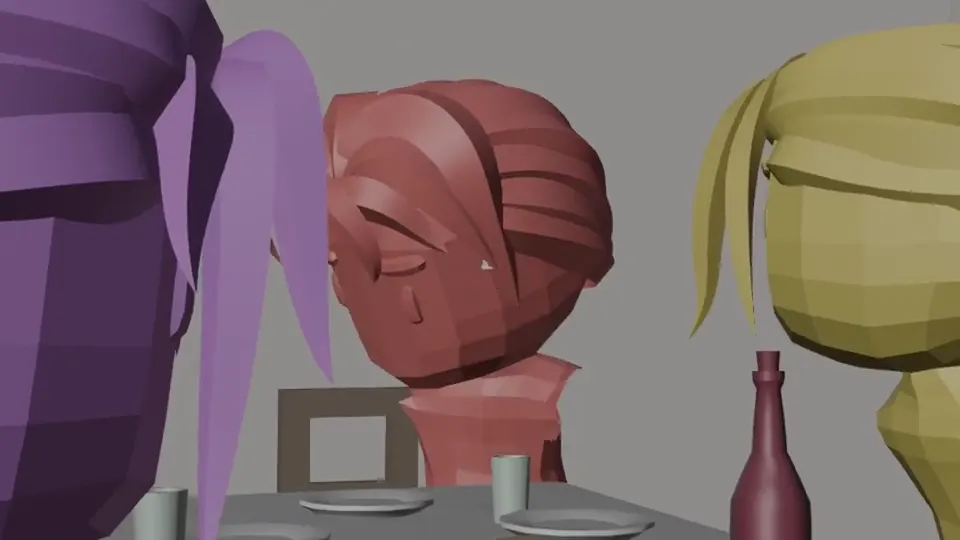 A toast at dinner · preview
Make the creative decisions that matter. Take something tangible into whatever comes next.
Direct the framing, lens, and movement. A slow push-in or a sweeping follow shot starts with your intention.
Place your characters, shape the action, and adjust the timing. Work out how a scene plays before the final take.
Take your video and the project files created along the way into your next edit or creative workflow.
Generate a video here, or make it part of your own product. Send one prompt to the API. Check the status. Download the video.
POST /v1/videos
Content-Type: application/json

{
  "prompt": "An 8-second café encounter. A slow push-in."
}Generate videos from a prompt. Describe your idea, the action, and the mood; Kando plans the shots, creates the visuals, and puts together a downloadable MP4.
No. Describe what you want in everyday language, including any style, pacing, or camera direction you have in mind. Kando handles the production steps.
The look depends on your brief and the tools available in your workspace. Include the visual style you want in your prompt. The examples above show one workflow, with a preview and a separately produced finished version.
A video you can play in the studio and download as an MP4. Files created during generation are also saved with the project, so you can review and download them. Reuse your prompt whenever you want a new take.
Users with workspace access can generate videos in the studio now. If you need an access key, contact your workspace owner. Public plans and pricing haven’t been announced.